A few months back, a Shopify client of mine wanted new product photos for a festival campaign. The shoot budget was tight, the timeline was tighter, and the models weren’t even available. That’s the day I actually started using AI generated images seriously in my client work, not as an experiment, but as a real part of the campaign.
Since then, I have used AI generated images for ad creatives, blog visuals, product mockups, and social posts for almost every brand I manage. This guide is everything I have learned about creating them, using them the right way, and avoiding the mistakes that make images look fake or get flagged.
What Are AI Generated Images and How Do They Actually Work
Before you open any tool, it helps to understand what you’re actually working with. This is where most beginners get confused, so let’s keep it simple.
What Are AI Generated Images
AI generated images are visuals created or edited using generative AI, based on text prompts, reference images, or a mix of both. Instead of a camera capturing something that already exists, the AI model builds the image pixel by pixel from patterns it learned during training.
In India, tools like ChatGPT Images, Google Gemini, Adobe Firefly, and Canva are the ones I see used most often by marketers, creators, and small business owners. They’re used to make product photos, illustrations, festival creatives, and social media posts without hiring a photographer for every single asset.
How AI Image Generation Works
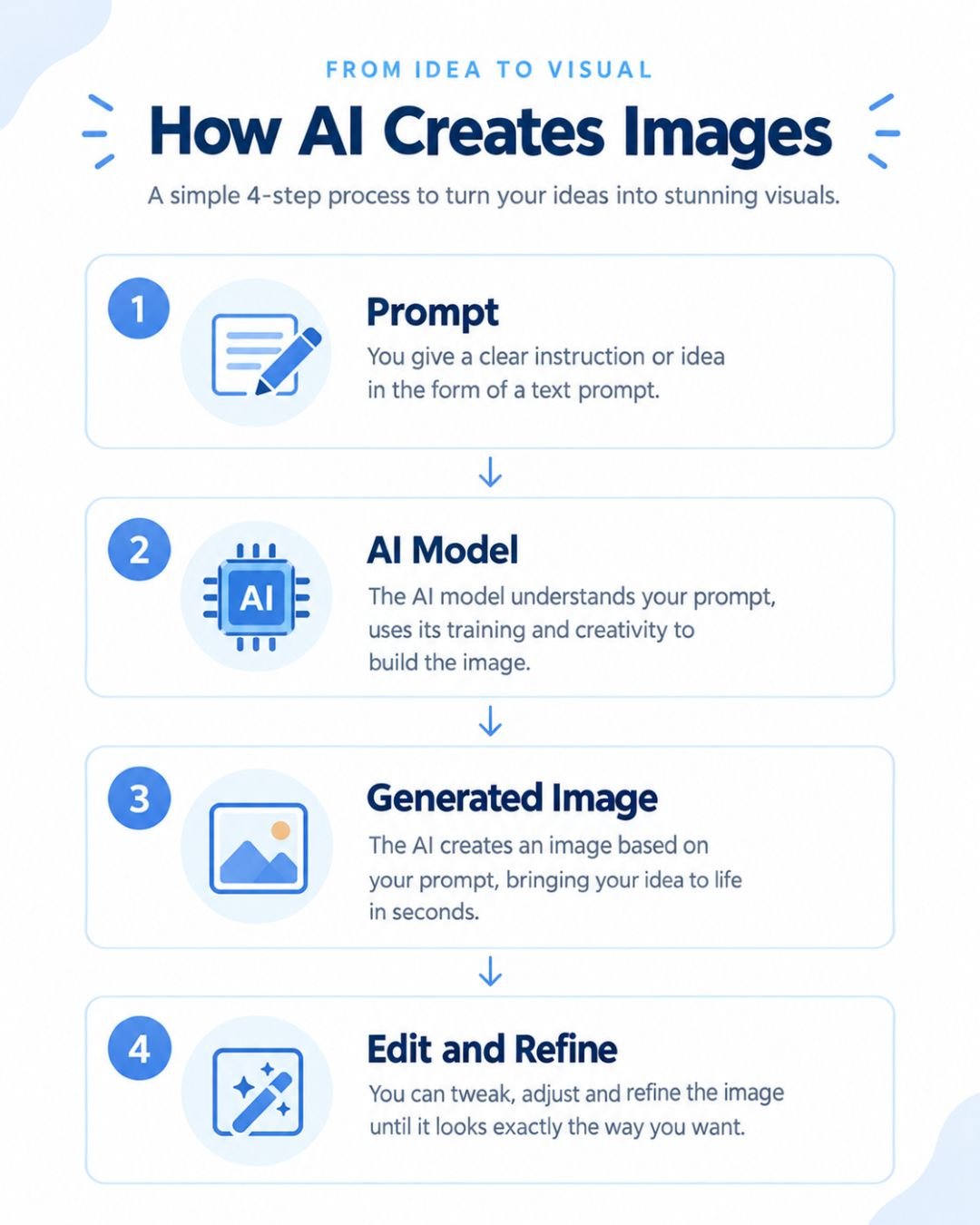
The process is simpler than people assume:
- You write a prompt describing what you want
- The AI model interprets your words and generates an image
- You review the output and refine the prompt if needed
- You edit or upscale the final image before using it
The quality of your result depends heavily on how clearly you describe the subject, the setting, and the style. A vague prompt gives a vague image. A specific prompt gives you something you can actually use.
How to Create AI Generated Images Step by Step
If you’re starting from zero, here’s the exact workflow I follow with clients:
- Pick a tool based on your goal (photorealism, design, or editing)
- Write a clear prompt with subject, setting, and style
- Generate two or three variations, not just one
- Pick the closest result and refine the prompt further
- Edit lighting, cropping, or text using the tool’s editing features
- Export in the right size for your platform
I always generate more than one version. The first output is rarely the final one, and treating it as a draft instead of a finished asset saves a lot of frustration.
How to Write Better AI Image Prompts
This is the part that actually separates a decent image from a great one. A reliable prompt formula looks like this:
Subject + setting + style + composition + lighting + camera details + aspect ratio + what to avoid
For example, instead of writing “a girl drinking chai,” I write something closer to “a young woman in a cotton kurta drinking chai at a Jaipur street stall, warm afternoon light, close-up shot, shallow depth of field, no text overlay.”
Notice there’s no “8K ultra realistic” filler in there. Those words rarely improve output. Specific, visual details do the actual work.
How to Create Realistic AI Generated Images
If your goal is photorealism, a few things matter more than others:
- Describe natural lighting instead of generic brightness
- Mention skin texture and facial detail if people are involved
- Specify camera angle and distance, like close-up or wide shot
- Avoid overloading the prompt with too many objects at once
- Always zoom in on faces, hands, and text before publishing
Hands and text are still the weakest point of most AI models. I check both of these on every single image before it goes into a client’s ad account.
How I Use AI Generated Images to Grow Businesses in India
This is the part I care about most, because a pretty image means nothing if it doesn’t help a business sell more or get more leads. Here’s how I actually apply this in my day to day work as a performance marketer in Jaipur.
Best AI Image Generators in India
I don’t believe in declaring one universal winner, because the right tool depends on what you’re making.
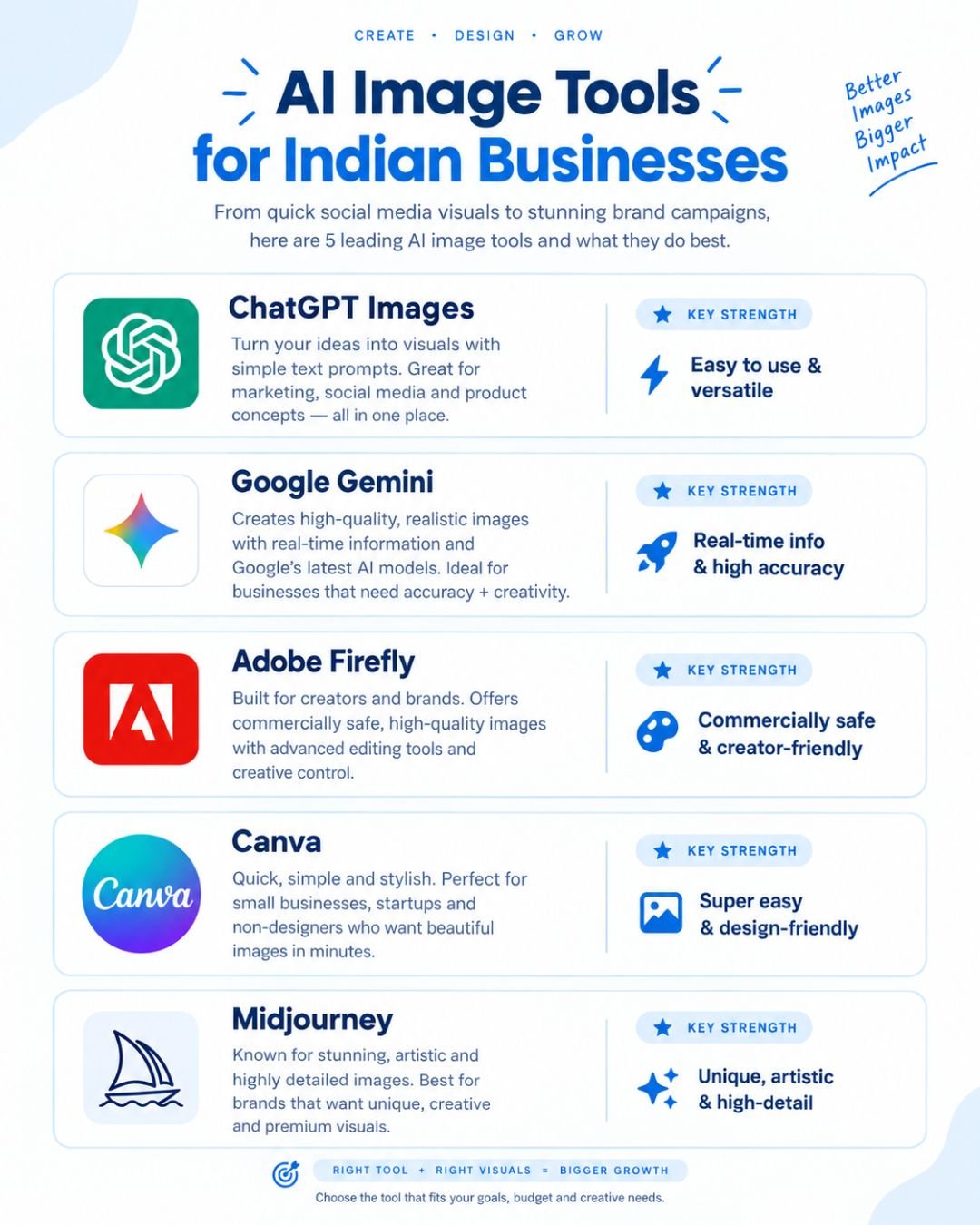
- ChatGPT Images works well for general creation and quick editing through natural prompts
- Google Gemini is strong for transforming existing photos conversationally
- Adobe Firefly fits into design heavy workflows for teams already using Adobe tools
- Canva is the easiest option for social media graphics and quick publishing
- Midjourney produces strong artistic results but has a steeper learning curve
Before you commit to one tool, check its current free limits, pricing, and commercial use terms, because these details change often.
AI Generated Images for Businesses and Marketing
This is where AI generated images stopped being a novelty and became a real part of my ad strategy. I use them for:
- Meta Ads creatives when a proper shoot isn’t possible on time
- Google Display Ads banners across multiple sizes
- Instagram posts and festival campaign visuals
- Website banners and blog illustrations
- YouTube thumbnails for client channels
When I’m building creatives for a Meta Ads campaign, I always cross check performance using the Meta Opportunity Score to see if the new visuals are actually improving results, not just looking nicer.
AI Generated Images for D2C and Ecommerce Brands
For D2C and Shopify clients, product photography used to be one of the biggest cost and time blockers. Now, AI generated images help fill that gap for:
- Product concept mockups before a real shoot
- Lifestyle style images for product pages
- Seasonal and festival themed product creatives
- Quick variations for A/B testing ad creatives
This doesn’t replace professional photography for hero product shots, but it removes a lot of friction for smaller assets and testing. If you’re running paid campaigns around these creatives, it’s worth reading my guide on PPC for small businesses in India to make sure the budget behind those visuals is actually working.
Copyright and Commercial Use of AI Generated Images in India
I get asked this constantly, so let’s be direct instead of giving a blanket yes.
Commercial use depends on the specific tool’s terms, not a general rule. Some platforms allow full commercial use on paid plans, while free tiers often come with restrictions. India’s copyright framework around AI generated work is also still evolving. In 2026, India’s Copyright Office addressed a case involving AI authorship and made it clear that an AI system itself cannot be treated as the legal author, while questions around AI assisted human created work are still being worked through.
My advice for clients is simple. Read the specific tool’s commercial use terms before publishing anything in a paid ad campaign, and don’t assume every platform works the same way.
Common Mistakes to Avoid
These are the mistakes I see most often, including ones I made early on:
- Publishing an image without checking hands, faces, or text
- Using the same generic prompt style for every single image
- Ignoring the tool’s commercial use policy
- Treating the first generated output as the final version
- Forgetting to match the image style to the brand’s actual identity
A rushed AI generated image can hurt a brand faster than no image at all, especially in a paid ad where trust matters.
FAQs About AI Generated Images
What are AI generated images?
AI generated images are visuals created or modified by generative AI using text prompts, reference images, or editing instructions instead of a traditional camera.
Can I create AI generated images for free?
Yes. Several tools offer free access or free credits, though limits on resolution, features, and commercial use vary between platforms.
Which AI image generator is best?
There isn’t a single best option. The right choice depends on whether you need realistic photos, creative artwork, editing tools, or fast social media graphics.
Can businesses use AI generated images in ads?
Yes, but businesses should always check the specific tool’s commercial use terms and review every image carefully before publishing it in a live campaign.
How do I make AI generated images look realistic?
Describe the subject, environment, lighting, composition, and camera angle in detail instead of relying on generic phrases like “ultra realistic.”
Quick Tips
Tip 1: Build one strong base prompt and refine it gradually instead of rewriting it from scratch every time.
Tip 2: Always check faces, hands, product packaging, and text closely before an AI generated image goes live in an advertisement.
If there’s one thing I want you to take away from this, it’s that AI generated images work best as a tool inside a bigger marketing system, not a replacement for strategy. The businesses getting real results from them are the ones pairing good creative with solid tracking, like proper Google Ads conversion tracking, so they actually know what’s driving sales. And if you’re running search campaigns alongside your creative testing, it’s worth understanding how tools like AI Max for Search campaigns fit into that picture too.
I’m Kirti Saini, a performance marketer in Jaipur who works with D2C brands, Shopify stores, and local businesses across India. If you’re testing AI generated images in your own ad campaigns and want a second opinion on whether they’re actually helping your numbers, that’s a conversation I’m always happy to have.