Let me be honest with you. When AI Max for Search campaigns first showed up in my Google Ads dashboard, I almost ignored it. I thought it was just another Google feature with a fancy name that would eat my budget without showing results.
But then one of my clients, a local solar panel company based in Rajasthan, was struggling with rising CPCs and shrinking lead volume. I decided to test AI Max for Search campaigns on their account, mostly out of desperation. What happened next genuinely surprised me, and that is why I am writing this today.
I am Kirti Saini, a certified performance marketer based in Jaipur. I have been running Google Ads for local businesses, D2C brands, and service-based companies across India for years. And right now, AI Max is the single biggest topic my clients keep asking about. So let me break it down properly, from what it actually is, to how you can set it up, to what controls you actually have.
What Is AI Max for Search Campaigns?
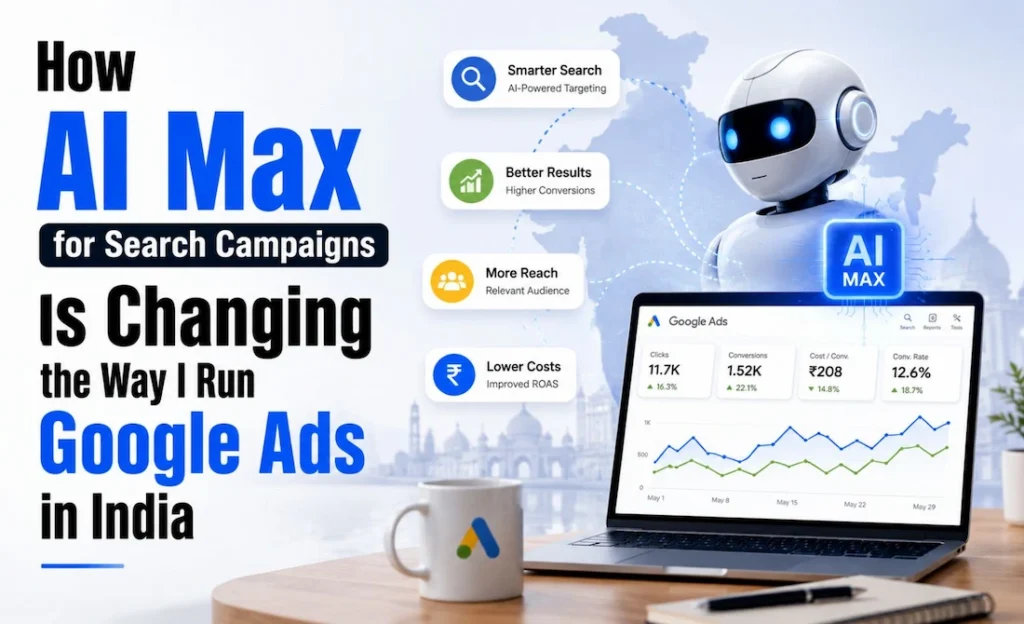
AI Max for Search campaigns is not a new campaign type. A lot of people get confused by this. It is an opt-in optimization layer that sits on top of your existing Search campaigns inside Google Ads.
Think of it like this. You already have a Search campaign running. You have your keywords, your ad copy, your landing pages. AI Max comes in and says, “Can I use AI to find more relevant queries, write better ad text, and send traffic to the most relevant page on your site?” You say yes or no. That is essentially it.
The Core Problem It Solves
Traditional keyword targeting has one major weakness: you can only reach queries that match your keyword list. Even with broad match, there are still relevant searches you are missing, especially in India where people search in mixed languages, regional phrases, and highly specific local intent.
AI Max solves this through three core capabilities.
Search term matching expands your keyword reach using AI. It finds new, relevant queries that your keyword list would have missed, without requiring you to add hundreds of new keywords manually.
Text customization uses AI to generate ad copy variations that are more relevant to a specific search query. Google pulls from your existing headlines and descriptions, then adapts them for better match. This is different from Responsive Search Ads because AI Max can go further in customization based on the landing page content.
Final URL expansion is the third piece. Instead of always sending users to your chosen landing page, Google may redirect traffic to a more relevant page on your website if it determines another URL is a better match for that query.
How AI Max for Search Campaigns Actually Works
Here is what happens in the background when you turn on AI Max in Google Ads.
Google’s AI reads your entire website, not just the landing page you chose. It looks at your product pages, service pages, about page, and more. Using that content, it identifies additional search queries that are relevant to your business and matches them to the most fitting page on your site.
At the same time, the text customization feature can pull context from the destination URL and adapt your ad headlines or descriptions to feel more specific to that query. For example, if someone in Delhi searches “affordable solar installation for homes,” your ad might automatically show a more Delhi-specific or budget-specific headline if your site has that content somewhere.
Keywordless Matching vs. Broad Match
A lot of people ask me: is this just broad match with extra steps?
Not exactly. Broad match works from your keyword list and expands from there. Keywordless matching in AI Max can serve ads on queries that have no keyword match at all, as long as Google’s AI determines your business is relevant. This is a meaningful difference, especially for businesses with niche products or hyper-local services.
Core Features and Controls You Need to Know
This is where I spend most of my time educating clients. AI Max for Search campaigns gives you control. Google is not just running wild with your budget. Here is what you can manage.
Brand Controls
You can tell Google which brands to exclude from search term matching. For example, if you do not want your ads showing up for competitor brand queries, or even your own brand queries that are being handled by a separate campaign, you can set that up through brand controls.
URL Inclusions and Exclusions
With URL inclusions, you can tell Google which pages on your site are allowed to receive traffic from final URL expansion. With URL exclusions, you can block specific pages. This is important if you have checkout pages, thank-you pages, or outdated content you do not want Google sending users to.
I cannot stress this enough. Set your URL exclusions before you turn on AI Max. I have seen accounts where traffic started landing on a “404 page” or a discontinued product page because this step was skipped.
Locations of Interest
This is particularly relevant for India-based businesses. Locations of interest lets you target users who are searching with geographic intent, even if they are not physically located in that area. A user in Mumbai searching “best resort in Goa” has intent around Goa. With locations of interest, you can reach that person.
At the ad group level, you can set this separately, which means you can have one ad group targeting people near Jaipur and another targeting people who are interested in Jaipur from other cities.
India Use Cases Where AI Max Performs Best
After running this across several accounts in Jaipur, Delhi, and Bengaluru, these are the use cases where AI Max for lead generation and local intent have worked really well.
Local service businesses like solar companies, interior designers, and coaching institutes benefit from search term matching because customers search in unpredictable ways. “Best interior decorator near me,” “affordable home interior Jaipur,” “room design service under 50k”, no keyword list covers all of this naturally.
E-commerce brands targeting multiple cities can use final URL expansion to match product searches to the exact product page, instead of always landing on the homepage.
Multi-city service providers like real estate agencies or logistics companies can use locations of interest to show intent-based ads to users across India, regardless of where they are physically located.
For lead generation specifically, AI Max has helped reduce wasted impressions because Google is qualifying intent before showing the ad. The conversion tracking data also becomes richer over time as AI learns which queries actually convert.
How to Set Up AI Max in Google Ads
Here is a step-by-step process to get started without losing control.
Step 1: Go to an existing Search campaign. Do not create a new one. AI Max is an opt-in layer for existing campaigns.
Step 2: Click into the campaign settings. Look for the “AI Max” toggle or section, depending on your account’s interface. If you do not see it, check if your account is eligible. Rollout is still ongoing in some regions.
Step 3: Before enabling, go through the URL settings. Add your URL exclusions first. At minimum, exclude checkout pages, thank-you pages, and any URLs with outdated content.
Step 4: Set your brand controls. Add the brands you want to exclude from search matching.
Step 5: Review your locations of interest settings at the ad group level. Adjust based on where your customers have geographic intent.
Step 6: Turn on AI Max and set a conversion tracking goal. AI Max works best when it has clear conversion signals. If you do not have conversion tracking set up properly, the AI cannot optimize effectively.
Step 7: Let it run for at least two weeks before making major changes. The system needs data.
Testing, Reporting, and Optimization
One thing I appreciate about AI Max for Search campaigns is the reporting transparency. Google provides keyword and asset reports that separate AI Max-expanded matches from your original keyword matches. This means you can actually see which new queries AI Max found, which landing pages it sent traffic to, and how those performed.
Use Google Ads Experiments to A/B test AI Max against your standard Search campaign. This gives you a clean data split so you can measure the impact on CPA and ROAS without risking your entire budget.
Check your search term report weekly. Look for irrelevant queries and add them as negative keywords. AI Max does not remove the need for negative keyword management. It just reduces how much time you spend building keyword lists.
Also monitor which URLs are receiving traffic from final URL expansion. If a page has a high bounce rate or low time on site, you may want to exclude it.
AI Max vs. Broad Match vs. DSA vs. Performance Max
This is the comparison that most competitor articles avoid going deep on, so let me give it to you clearly.
Broad match expands your existing keywords. You stay within the Search network. You still need keywords. It is familiar and predictable.
Dynamic Search Ads (DSA) crawl your site and generate ads automatically. They are entirely keywordless and give you less control over ad copy. They are good for large catalogues but weaker on intent matching.
Performance Max runs across all Google channels simultaneously, including Display, YouTube, Shopping, and Search. It is harder to control and reports less granularly. For pure Search intent, it is often too broad.
AI Max for Search campaigns sits between DSA and standard broad match. You keep the Search campaign structure. You get AI-powered query expansion and copy customization. You retain brand controls, URL exclusions, and reporting. For India-based lead gen and local service businesses, it is the most controllable AI option available right now.
5 FAQs About AI Max for Search Campaigns
Is AI Max a new campaign type?
No. It is an optimization layer that you add to an existing Search campaign. You do not create a separate AI Max campaign.
What are the core features of AI Max?
The three main features are search term matching, text customization, and final URL expansion. Supporting controls include brand controls, URL inclusions, URL exclusions, locations of interest, and performance reporting.
Can I control where my traffic goes?
Yes. You can use URL inclusions to allow only specific pages and URL exclusions to block pages you do not want traffic sent to. You are not handing over full control.
Does AI Max work well for geography-based targeting in India?
Yes. Locations of interest is especially useful in India where users from one city regularly search for services in another city. A user in Pune searching for a Goa resort, or someone in Delhi looking for a Jaipur wedding venue, can be reached through intent-based geographic targeting.
Where can I see AI Max performance data?
Google provides separate reporting for AI Max in the keyword and asset reports. You can see which queries AI Max matched, which URLs received traffic, and how conversions tracked against those matches.
2 Quick Tips Before You Go
Tip 1: Add URL exclusions before you turn AI Max on, not after. Protect your checkout flow, your thank-you pages, and any outdated content. This one step can save you from sending paid traffic to dead ends.
Tip 2: Run AI Max for Search campaigns as an experiment against your regular Search campaign first. Use Google Ads Experiments, split traffic 50-50, and measure CPA and ROAS over two to four weeks. Real data beats assumptions every time.
Final Thoughts
When I first tested AI Max for Search campaigns on that solar company in Rajasthan, lead volume went up by around 30% over six weeks. Some of that came from queries we had never thought to bid on. Some came from final URL expansion sending users to a more specific product page. The conversion tracking gave us the clarity to understand what was actually working.
AI Max is not a magic button. It works best when you have solid conversion tracking, clean URL structure, and a willingness to review your search term data regularly. But for Indian businesses dealing with diverse search behavior, regional intent, and tight budgets, it is genuinely one of the more useful tools Google has added to Search campaigns in a long time.
If you have questions about setting this up for your own business or your client accounts, feel free to reach out. I run workshops and one-on-one strategy sessions from Jaipur, and this is exactly the kind of stuff we cover in depth.