I remember the exact evening I discovered Google Ads Transparency Center. I was auditing a Jaipur retail client’s account, trying to figure out why a competitor’s ads kept showing up above ours for the same keywords. I typed their brand name into Google, out of pure frustration, and stumbled onto a tool I had scrolled past a dozen times before. Within ten minutes, I had every live ad that competitor was running, across Search and Display, sitting in front of me. That night changed how I do competitor research for every client I work with in Jaipur and across India.
If you run Google Ads for your own business, or you manage accounts for clients like I do, you need to know this tool exists and how to actually use it. This article walks you through what it shows, what it hides, and how to turn it into a real competitor research habit rather than a one-time curiosity.
What Is Google Ads Transparency Center?
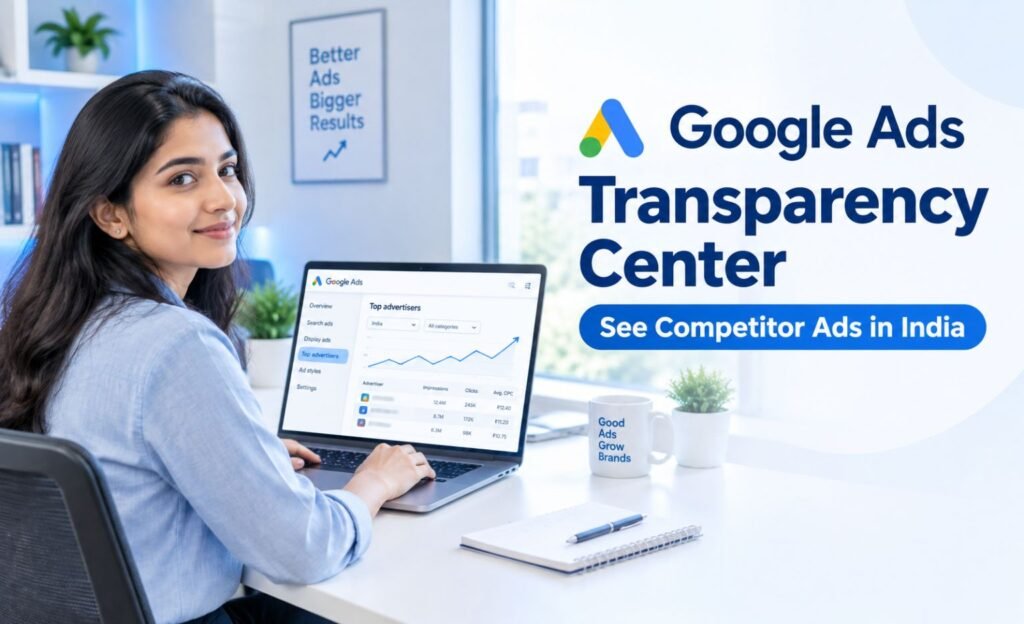
Google Ads Transparency Center is Google’s public, searchable database of ads from verified advertisers. Instead of guessing what your competitors are running, you can search their business name or website and see the actual ads Google is serving on their behalf, whether that is a Search ad, a Display banner, a Shopping listing, or a YouTube ad.
Google built this as part of a broader push toward advertiser accountability. Every advertiser shown in the Center has gone through Google’s advertiser verification process, and their disclosed identity appears alongside the ads. For someone doing competitor research, that verification layer matters. You are not looking at screenshots someone else collected. You are looking at what Google itself confirms is currently or recently running.
It works differently from a keyword research tool. You are not typing in a search term and getting a list of advertisers bidding on it. You are searching for a specific advertiser or a specific website, and the tool shows you everything tied to that identity.
How Google Ads Transparency Center Works
The mechanics are simple once you have used it a few times. You open the tool, type in an advertiser name or a domain, and Google pulls up a profile page. That page lists the ad formats the advertiser is using, the regions their ads are targeting, and a rough date range showing how long specific ads have been active.
Each ad in the results can usually be expanded to show the actual creative: the headline, the description text, the image or video, and sometimes the landing page it points to. For Search ads, you see the ad copy exactly as it would appear to a searcher. For Display ads and YouTube ads, you see the creative itself.
One detail worth knowing: Google updated its transparency policy so that the payer name can appear separately from the verified advertiser name when the two are different. This matters in India especially, where agencies often run accounts on behalf of a brand. You might see the agency listed as the payer while the brand remains the verified advertiser, which is a small but useful clue when you are trying to work out how a competitor structures their marketing.
How to Use Google Ads Transparency Center in India: Step by Step
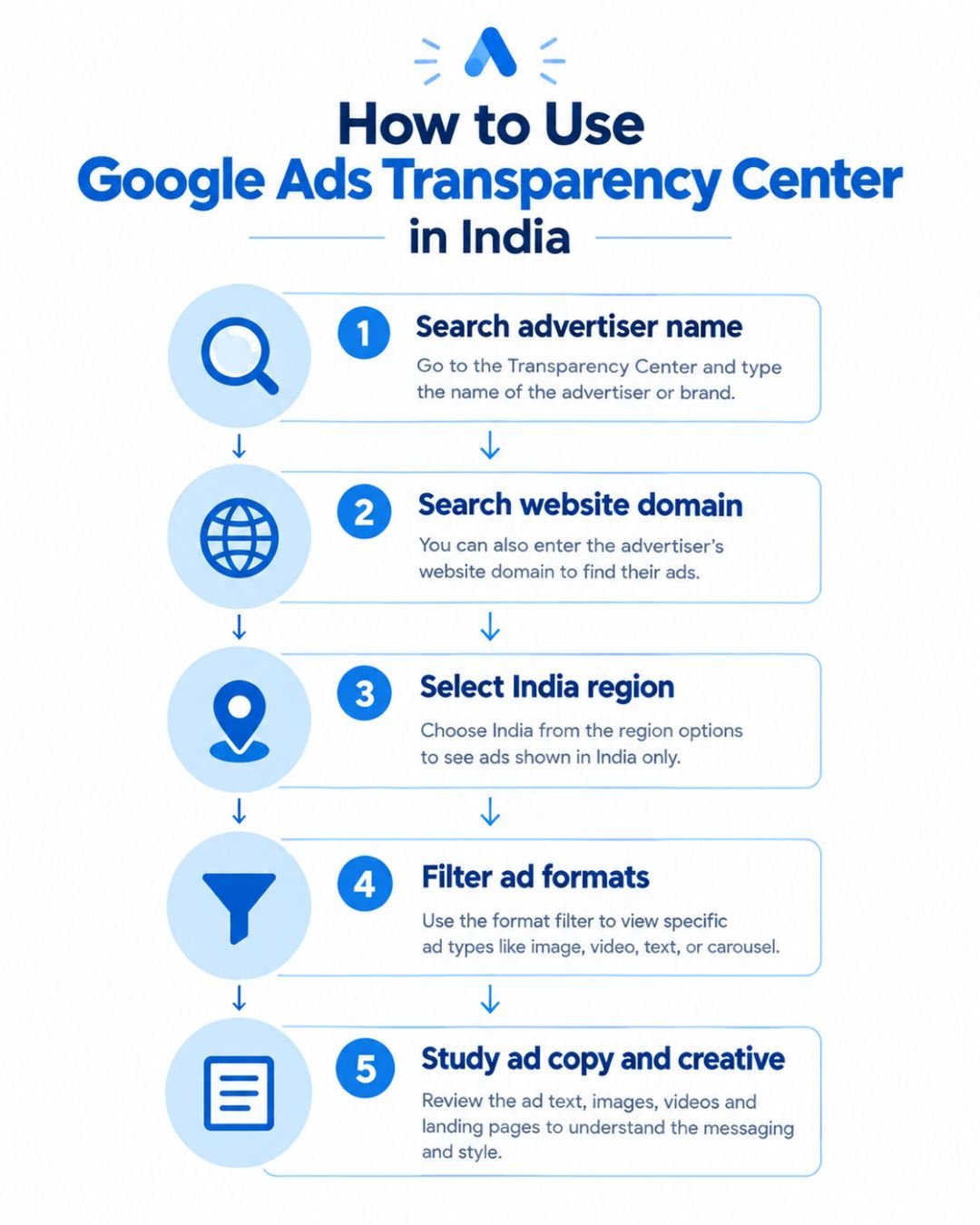
I get asked this a lot on calls, so here is the exact workflow I use with clients.
Search by Advertiser Name
Start with the most obvious identity, the brand name as it appears on their website or social pages. This works well for larger, well-known businesses whose verified advertiser name matches their public brand.
Search by Website or Domain
If the advertiser name search comes back thin, switch to searching the domain instead. Larger companies sometimes run multiple advertiser accounts, especially if they operate several brands or work with different agencies for different campaigns. Searching the domain catches ads that a name search might miss.
Select India as Your Region
Google’s Transparency Center lets you filter by region, and selecting India narrows results to ads actually shown to Indian audiences. This step matters because a global brand may run very different messaging in India compared to the US or Europe, and you want to study what is actually reaching your market.
Filter the Available Ads
Once you have results, filter by ad format. If you are running Search campaigns, focus on Search ads first. If you are planning a Display push, look at what creative formats and sizes competitors are already using.
Study the Ad Copy and Creative
Read the headlines slowly. Note the offer being made, the tone, and whether they lean on urgency, discounts, or trust signals like ratings and guarantees.
Record Recurring Offers and Messaging
Ads that have been running for weeks or months are usually not accidents. If a competitor keeps repeating the same offer or the same headline structure, that is a signal worth noting, even if it is not proof of performance on its own.
What You Can See in the Transparency Center
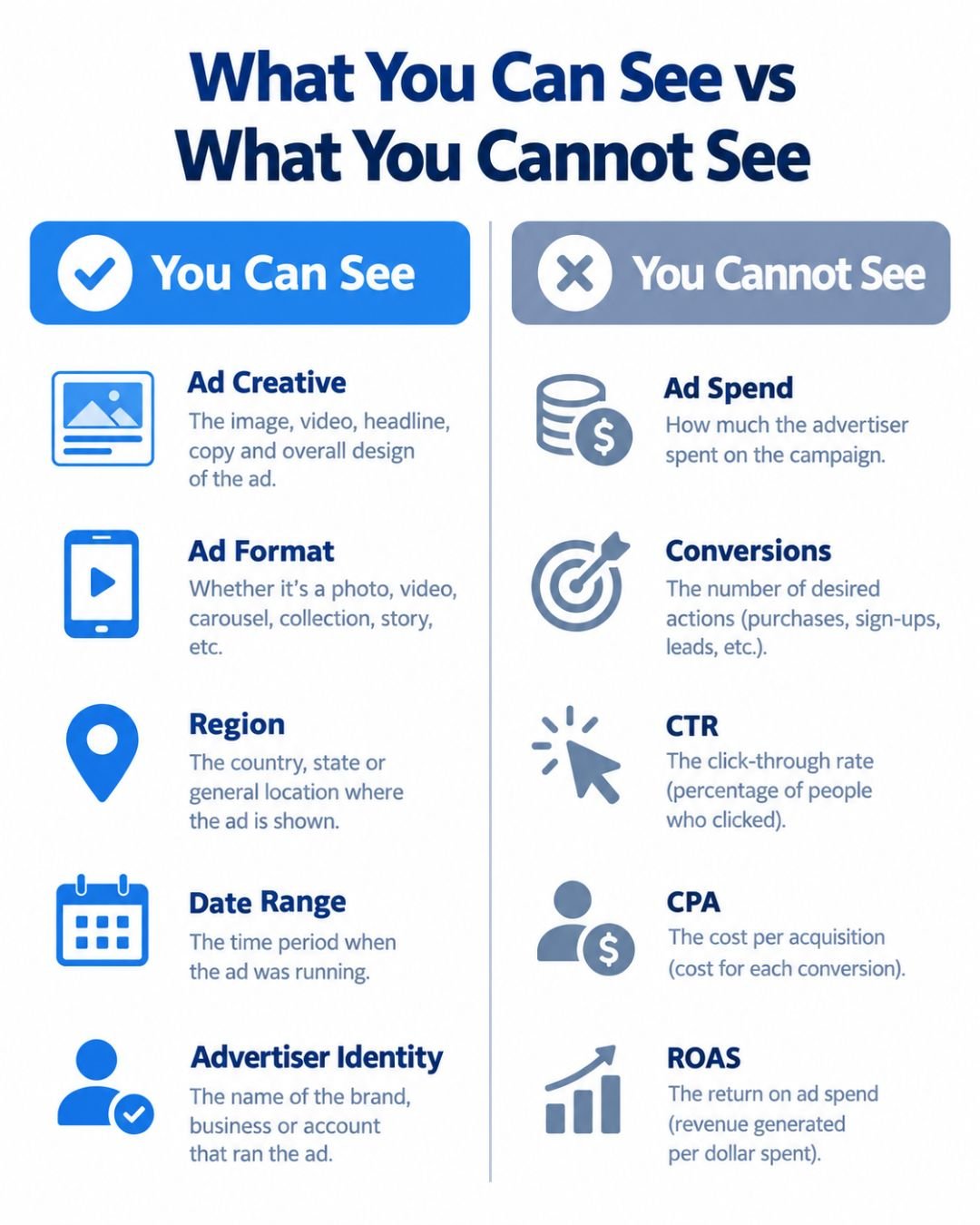
Here is what you can reliably pull out of the tool for competitor ads:
- The verified advertiser identity and, where applicable, the payer name
- Live and recently active ad creative across Search, Display, Shopping, and YouTube
- The ad format being used
- Approximate date ranges showing how long an ad has run
- The region the ad has been shown in, including India-specific targeting
- In many cases, the landing page the ad points to
This is genuinely useful for building out an ad swipe file and understanding how a competitor positions their offer, without needing any paid third-party spy tool.
What You Cannot See
This is the part every competitor guide agrees on, and it is worth repeating clearly because it stops people from making bad decisions based on incomplete data. Google Ads Transparency Center does not show you:
- Actual ad spend or budget
- Conversions, leads, or sales generated
- Click-through rate, cost per acquisition, or ROAS
- Keyword-level bidding data
- Which ads are actually converting versus just running
I have seen marketers assume that because a competitor’s ad has run for six months, it must be their best performer. Sometimes that is true. Sometimes it just means nobody on their team noticed it was still live. Treat the tool as a window into messaging and creative strategy, not a scoreboard of results.
How to Use It for Competitor Research in India
This is where the tool earns its place in your actual workflow, not just as something you check once out of curiosity.
Identify Your Top Competitors
List the three to five businesses you genuinely compete with for the same customer, in the same city or the same category, whether that is a Bengaluru SaaS company, a Jaipur real estate brand, or a Delhi financial services firm.
Build an Ad Swipe File
Create a simple worksheet with these columns: competitor, advertiser name, India region, ad format, headline, offer, CTA, landing page, date first seen, and a note on whether the message repeats. This turns scattered browsing into a document you can actually reference before writing your own campaigns.
Compare Headlines, Offers and CTAs
Look across your competitors together, not one at a time. Patterns show up fast. If every competitor in your category is leading with free shipping or a percentage discount, that tells you something about what the market expects, and gives you a chance to differentiate instead of copying.
Turn Observations Into Tests
The point of all this research is not to imitate. It is to generate testable ideas for your own Google Ads campaign. If a competitor’s landing page emphasizes reviews and yours does not, that is a hypothesis worth testing, not a fact worth assuming.
How Indian Businesses Can Use These Insights
For businesses I work with in Jaipur and across India, the insights from Transparency Center usually feed into three places: ad copy direction, landing page structure, and overall PPC strategy for the quarter. If you see three competitors all pushing a limited-time offer around a festival, that shapes your own seasonal planning. If nobody in your space is running YouTube ads yet, that might be your opening.
None of this replaces your own data. Once you act on an insight, your own Google Ads conversion tracking tells you whether the change actually moved the needle. Ideas from competitor research are a starting point, not a conclusion.
Google Ads Transparency Center vs Meta Ads Library vs Auction Insights
Marketers often ask how this compares to the tools they already use. Meta Ads Library works similarly but covers Facebook and Instagram ads instead of Google’s network, so if your competitor also runs Facebook Ads campaigns, that library fills in the paid social side of the picture. Auction Insights, on the other hand, is only available inside your own Google Ads account and only shows you competitors bidding on the exact same auctions as you, without any creative detail.
Together, these three give you a fuller view: Auction Insights tells you who you are actually competing against in the bid, Transparency Center shows you what their ads actually look like, and Meta Ads Library extends that same creative visibility to social platforms.
Common Mistakes to Avoid
A few mistakes I see repeatedly when people start using this tool:
- Assuming ad longevity always means high performance
- Copying competitor ad copy word for word instead of using it as a starting point
- Ignoring the India region filter and drawing conclusions from global data
- Skipping domain searches and relying only on the obvious brand name
- Treating the tool as a substitute for their own conversion tracking and analytics
Two Quick Tips Before You Start
Tip 1: Do not assume the longest-running ad is a competitor’s best performer. Use persistence as one signal among several, then validate anything you borrow against your own conversion data.
Tip 2: Always search both the advertiser name and the website domain. Larger businesses often run multiple advertiser identities pointing to the same site, and a domain search catches what a name search misses.
Frequently Asked Questions
1. What is Google Ads Transparency Center? It is Google’s public tool for researching ads and advertiser information. You search by advertiser name or website and see the ads tied to that identity.
2. Can I see my competitors’ Google Ads? Yes, for any advertiser and ad available in the tool. You can study their messaging, formats, and creative directly instead of relying on manual screenshots.
3. Can I see how much a competitor spends on Google Ads? No. For ordinary commercial advertising, the tool does not reveal spend, CTR, CPA, ROAS, or conversion data. Treat it as a creative research tool, not a performance dashboard.
4. Does Google Ads Transparency Center work in India? Yes. The tool includes an India region filter, so you can narrow results to ads actually shown to Indian audiences.
5. Is Google Ads Transparency Center free? Yes, it is a free public resource from Google with no login or subscription required.
Final Thoughts
Google Ads Transparency Center will not tell you exactly what to do next, and it should not. What it gives you is visibility into what your competitors are actually saying to your shared audience, right now, in India. Pair that with your own PPC strategy for small businesses and proper conversion tracking, and you have a genuinely useful loop: observe, hypothesize, test, measure.
A quick reality check before you go: this tool works best as a habit, not a one-off task. I keep a running swipe file for every active client, and I revisit it roughly once a month, because competitors change their creative more often than most people assume. A single visit to Google Ads Transparency Center gives you a snapshot. A recurring habit gives you a trend line, and trend lines are what actually shape good campaign decisions.
If you want help turning this kind of competitor research into an actual campaign structure that performs, that is exactly what I do for clients through Google Ads and Meta Ads management in Jaipur.