The first time I ran a Google Ads campaign for a Jaipur-based real estate client, I thought I was doing everything right. The clicks were coming in, the CTR looked decent, and the budget was getting spent. But when the client asked me, “Kirti, which campaign actually got us the leads?” I had no answer. That was the moment I realized I had skipped the most important step in performance marketing: setting up Google Ads conversion tracking.
Since then, I have helped dozens of Indian businesses, from local service providers to Shopify stores to B2B SaaS companies, set up proper conversion tracking that actually feeds Google the right data. And today, I am going to walk you through everything I know, step by step, so you do not make the same mistake I did.
Whether you are a business owner, a digital marketing student in Jaipur, or an agency executive handling multiple clients, this guide covers the complete Google Ads conversion tracking setup, including Google Tag Manager, enhanced conversions, offline conversion imports, phone call tracking, and India-specific tips for lead-gen campaigns.
What Is Google Ads Conversion Tracking and Why Does It Matter?
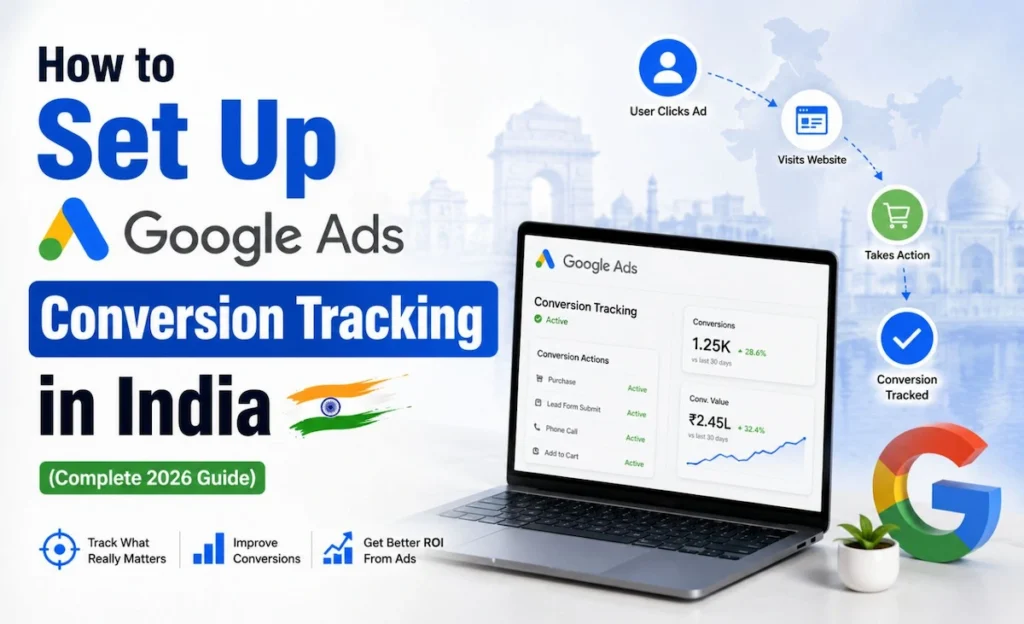
Google Ads conversion tracking measures the actions people take after clicking your ads, such as form fills, calls, purchases, and other valuable leads. It helps you see which campaigns drive real results and gives Google better data for bidding and reporting.
Think of it this way. When someone clicks your ad and then fills a contact form, buys a product, or calls your business, that action is called a conversion action. Without tracking this, Google does not know which keywords or campaigns led to that action. And without that signal, Smart Bidding cannot optimize your bids intelligently.
In India, this becomes even more important because most campaigns are built around lead generation, not direct ecommerce purchases. A phone call from a property buyer in Gurugram, a WhatsApp enquiry from a coaching institute student, or a contact form fill from a manufacturing company in Pune, all of these are conversions that need to be tracked properly.
What Counts as a Conversion in India?
Based on my experience working with Indian clients, the most common conversion actions I track are:
• Form submissions on a thank-you page
• Phone call conversions from call extensions or website call buttons
• WhatsApp clicks tracked via button click events
• Purchase completions on Shopify and WooCommerce stores
• Lead form submissions inside Google Ads
• App installs for mobile-first businesses
Google Ads Conversion Tracking Setup: 3 Methods That Actually Work
There are three main ways to implement Google Ads conversion tracking setup. I will explain each one clearly so you can pick the right method for your situation.
Method 1: The Google Tag (Direct Website Tag)
This is the simplest method. You install the Google tag directly on your website’s global header, and then add a separate event snippet on the page where a conversion happens, usually the thank-you page after a form is submitted.
Here is the step-by-step process:
1. Go to your Google Ads account and click Tools > Measurement > Conversions.
2. Click the blue plus button to create a new conversion action.
3. Choose the conversion type: Website, App, Phone calls, or Import.
4. Fill in the conversion name, value, count, and conversion window.
5. Copy the Google tag and paste it in your website’s <head> section globally.
6. Copy the event snippet and paste it only on the thank-you page.
The conversion value you set here directly affects your Smart Bidding strategy. For lead-gen campaigns, you can assign an estimated rupee value per lead based on your average deal size and conversion rate.
Method 2: Google Ads Conversion Tracking with GTM
This is the method I personally recommend for most clients. Google Tag Manager gives you a central hub to manage all your tags, including Google Ads, GA4, Facebook Pixel, and more, without touching the website code every time.
How to Set Up Conversion Tracking via GTM
Follow these steps to implement Google Ads conversion tracking with GTM:
7. Create a Google Ads Conversion Tracking tag inside GTM.
8. Enter your Conversion ID and Conversion Label from your Google Ads account.
9. Set up a trigger based on the event you want to track (page view on thank-you page, button click, form submission).
10. Publish the GTM container.
11. Verify the tag is firing using GTM Preview mode and Google Tag Assistant.
The biggest advantage of using GTM is speed. If you need to update a conversion action or add a new one, you do it inside GTM without touching the website code. This is especially useful when you are managing multiple clients or running fast-moving campaigns.
Method 3: Google Ads Conversion Tracking via GA4
This method connects your Google Analytics 4 account to Google Ads and imports GA4 key events as conversions. It is ideal when you already have a properly configured GA4 setup and want to avoid duplicate tracking.
Setting Up GA4 Key Events Import
12. In GA4, go to Admin > Events and mark the events you want as key events (purchases, form submissions, etc.).
13. In Google Ads, go to Tools > Conversions > Import > Google Analytics 4 properties.
14. Select the GA4 property and choose the key events to import.
15. Click Import and Continue.
One important thing to watch out for here is double counting. If you have both a direct Google Ads tag and a GA4 import firing for the same action, you will see inflated conversion measurement numbers. Always audit your setup before going live.
What Are Enhanced Conversions and Why You Should Enable Them
Enhanced Conversions Explained Simply
Enhanced conversions use hashed first-party data, such as email addresses, phone numbers, or names from your lead forms, to match conversions more accurately. When a user clears cookies or switches devices, regular conversion tracking can miss the conversion. Enhanced conversions fill this gap.
Google hashes this data using SHA256 before it is sent, so it is privacy-safe. This is especially valuable in a post-cookie world where browser restrictions and privacy regulations are tightening.
How to Enable Enhanced Conversions
16. Go to Google Ads > Tools > Conversions > Settings.
17. Turn on Enhanced conversions for web.
18. Choose your implementation method: Google Tag, GTM, or Google Ads API.
19. Map the first-party data fields (email, phone, name) to the relevant variables on your thank-you page or confirmation page.
In India, I have seen enhanced conversions improve reported conversions by 15% to 30% for some clients, especially those running long-form lead funnels where users often convert days after clicking an ad.
Offline Conversion Imports and Phone Call Conversions
Why Offline Conversion Tracking Matters for Indian Businesses
Here is a reality of Indian business: a lot of deals close offline. Someone clicks your ad, fills a form, and then your sales team calls them, qualifies them, and closes the deal over WhatsApp or a meeting. That final conversion happens entirely offline, and standard Google Ads conversion tracking will not capture it.
This is where offline conversion tracking comes in. You can import your CRM data back into Google Ads so it knows which clicks actually led to closed deals.
How to Import Offline Conversions
20. Create an offline conversion action in Google Ads (choose Import as the source).
21. Capture the GCLID (Google Click ID) when users submit forms. Store it in your CRM alongside the lead.
22. When a lead closes, export a CSV with GCLID, conversion name, conversion time, and conversion value.
23. Upload this CSV to Google Ads under Tools > Conversions > Upload.
The conversion value you assign to offline conversions can reflect the actual deal value, giving Smart Bidding real revenue signals to optimize toward.
Phone Call Conversions: Tracking Calls from India
Phone call conversions can be tracked in two ways. First, you can track calls from call extensions directly inside Google Ads by setting a minimum call duration (say, 60 seconds) as a conversion. Second, for website calls, Google provides a forwarding number that replaces your number on the page for ad clicks, and any call to that number gets tracked automatically.
For businesses in India where voice calls are a primary lead channel, this is not optional. It is essential. I always set up call tracking alongside form tracking for any service-based client.
Conversion Values, Value Rules, and Smart Bidding
Setting the Right Conversion Value
Not all conversions are equal. A purchase worth Rs. 50,000 is more valuable than one worth Rs. 2,000. Conversion value allows you to tell Google exactly how much each conversion is worth, so Smart Bidding strategies like Target ROAS can optimize bids intelligently.
For lead-gen campaigns where conversion value is not fixed, you can assign an estimated value based on your average lead-to-sale rate and deal size. For example, if 10% of your leads convert at an average deal size of Rs. 1,00,000, each lead is worth Rs. 10,000 to your business.
Using Conversion Value Rules
Conversion value rules let you adjust the reported value of a conversion based on conditions like device, location, or audience. For example, if leads from Mumbai convert at a higher rate than leads from tier-3 cities, you can apply a value multiplier for Mumbai-based conversions.
This is an underused feature in India that can significantly improve Smart Bidding performance for businesses with geographic variation in lead quality.
Common Conversion Tracking Mistakes and How to Fix Them
Mistake 1: Tracking Every Action as a Conversion
I see this constantly. Marketers set up page views, video plays, scroll depth, and button clicks all as primary conversion actions. This gives Google noisy data and confuses Smart Bidding. Only track actions that directly matter to revenue as primary conversions. Everything else can be a secondary action or a GA4 event.
Mistake 2: Double Counting Between GA4, GTM, and Google Ads
If you have a GA4 import and a direct Google Ads tag both firing for the same form submission, you are counting one conversion twice. Always audit your conversion action list and check the source of each. Use GTM Preview and Google Tag Assistant to confirm what is firing on your thank-you page.
Mistake 3: Not Using Auto-Tagging
Auto-tagging appends a GCLID parameter to your destination URLs automatically. Without it, GA4 and Google Ads cannot properly share conversion data. Always make sure auto-tagging is enabled in your Google Ads account settings. Go to Tools > Account Settings > Auto-tagging and confirm it is turned on.
Mistake 4: Wrong Conversion Window
The default conversion window for many conversion actions is 30 days for clicks and 1 day for view-through conversions. For high-consideration purchases or B2B services in India, buyers often take 60 to 90 days to convert. Extend your conversion window to match your actual sales cycle so no conversions get missed.
India-Specific Best Practices for Conversion Tracking
Track WhatsApp Clicks as Conversions
WhatsApp is the primary communication channel for a huge portion of Indian businesses. If you have a WhatsApp chat button on your website or a “Click to WhatsApp” ad, you need to track those clicks as conversion actions. Set up a GTM trigger for clicks on the WhatsApp button and create a corresponding Google Ads conversion action for it.
Separate Lead Form Submissions by Quality
Not every lead form submission is equally valuable. Many Indian businesses receive high volumes of low-quality leads. If you can pass quality signals from your CRM back to Google Ads via imported conversions, your Smart Bidding will start optimizing for better leads rather than just more leads.
Use Conversion Values for Shopify Stores
If you are running a Shopify store and using Google Ads, make sure the purchase conversion value is dynamic, meaning it pulls the actual order value from each transaction, not a fixed amount. The Google and YouTube app on Shopify can handle this automatically, or you can configure it via GTM with the dataLayer push.
Quick Check Before You Publish
• Is the Google tag or GTM container live on all pages?
• Is the event snippet or conversion tag firing only on the thank-you page?
• Is auto-tagging enabled in your Google Ads settings?
• Have you checked for duplicate conversion tracking in GTM Preview?
• Are enhanced conversions configured and verified?
Quick Tips for Better Conversion Measurement
Quick Tip 1: Use One Primary Conversion for Your Main Business Goal
Keep your primary conversion action focused on the one thing that matters most, whether that is a qualified lead form fill, a phone call, or a purchase. Adding too many primary conversions dilutes your bidding signals and makes campaign performance harder to read.
Quick Tip 2: Check for Duplicate Tracking Before Publishing
Before you set any campaign live, open GTM Preview, go to your thank-you page, and check exactly which tags fire. If you see both a GA4 event and a Google Ads conversion tag firing for the same form submission, one of them needs to be removed or switched to a secondary action. This single check has saved several of my clients from weeks of bad data.
Frequently Asked Questions
Q1. Do I Need Google Tag Manager to Set Up Conversion Tracking?
Not necessarily, but it is highly recommended. Google Tag Manager makes it easier to manage tags, update conversion actions, and troubleshoot issues without editing website code every time. For businesses managing multiple ad platforms or working with agencies, GTM is almost always the better choice.
Q2. Can I Track Phone Calls from Google Ads in India?
Yes, phone call conversions are fully supported in India. You can track calls from call extensions by setting a minimum call duration as the conversion threshold, or use Google’s website call tracking feature which assigns a dynamic forwarding number to your website for ad clicks.
Q3. What Are Enhanced Conversions and Should I Use Them?
Enhanced conversions improve tracking accuracy by using hashed first-party data from your website to match conversions that regular cookie-based tracking misses. Yes, you should use them. They are especially valuable for lead-gen campaigns where users convert days after the initial click, often from a different device or after clearing cookies.
Q4. Can I Import Offline Leads into Google Ads?
Yes. Google Ads supports offline conversion imports through CSV uploads or CRM integrations. You need to capture the GCLID from each ad click and store it with your lead data. When a lead closes offline, you upload the GCLID along with the conversion value and conversion time. This gives Google accurate data on which campaigns are actually driving revenue, not just form fills.
Q5. Should Every Action on My Website Be Tracked as a Conversion?
No. Only track actions that directly connect to your business revenue as primary conversion actions. Things like page views, video plays, and scroll depth are useful for analysis but should be set as secondary actions or tracked only in GA4. Adding too many primary conversions confuses Smart Bidding and makes your campaign data harder to trust.
Final Thoughts: Get Your Tracking Right Before Spending More
If I could go back to that first campaign I ran for the Jaipur real estate client, the one thing I would do differently is set up Google Ads conversion tracking before touching the budget. Every rupee you spend in Google Ads is smarter when Google has clean, accurate conversion data to work with.
Start with a solid conversion tracking setup: the Google tag or GTM, a clear conversion action for your main business goal, enhanced conversions for better accuracy, and offline conversion imports if your sales cycle has a human touch. Once this is in place, your Smart Bidding campaigns will have what they need to actually deliver results.
If you are based in India and want help auditing your current setup or building this from scratch, feel free to reach out. Getting this right once saves you months of guesswork and thousands of rupees in wasted spend.